

Try Private LLM 2 on your iPhone, iPad, and Mac
The models still run on your device. Now they take multimodal input and search your documents with on-device RAG.
For early access, open the Private LLM app and go to Settings > About.


Needs iOS 26 or iPadOS 26 on an iPhone or iPad with an A14 chip or later, or macOS 26 on a Mac with Apple Silicon. Ternary Bonsai 2 27B needs an iPhone with 12 GB of memory.
Bonsai 2 27B Runs on an iPhone 17 Pro
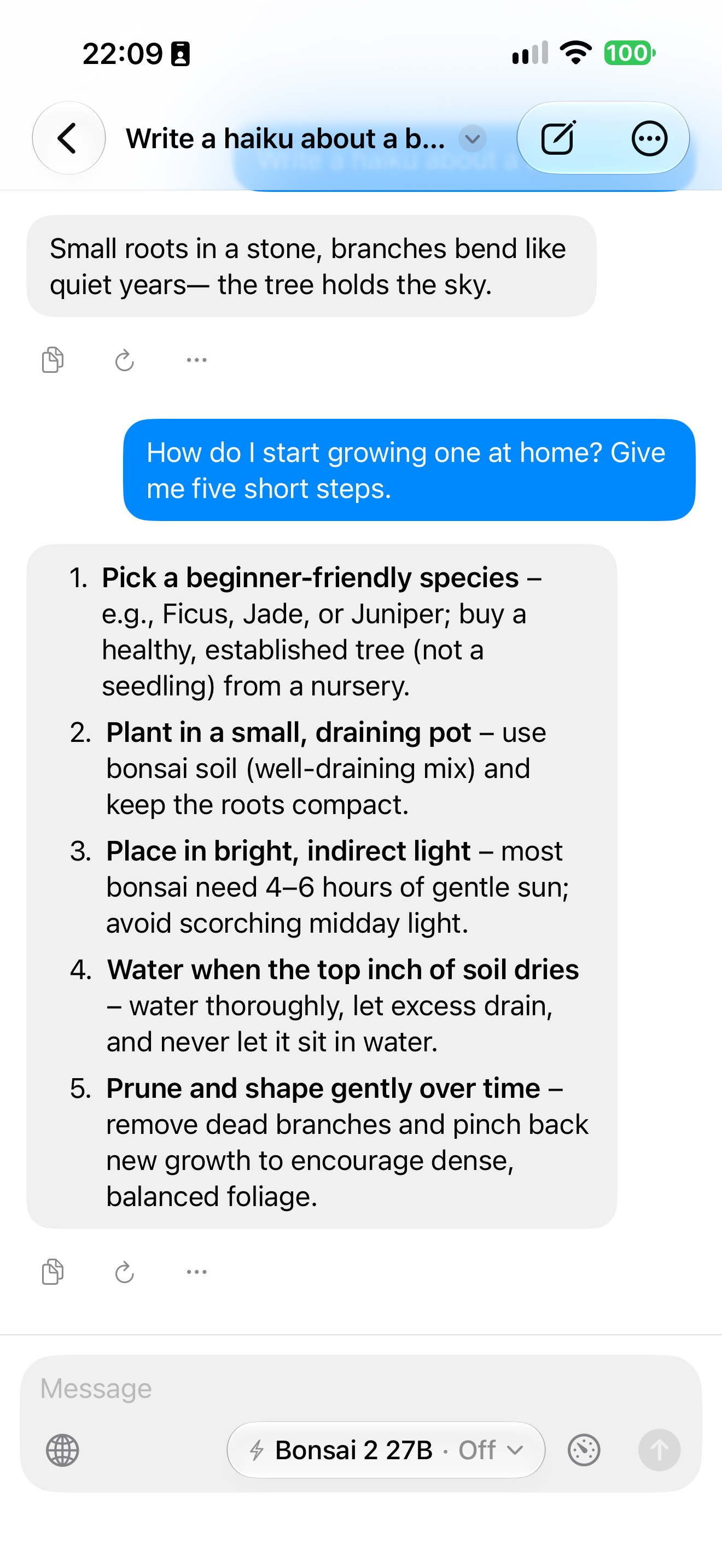
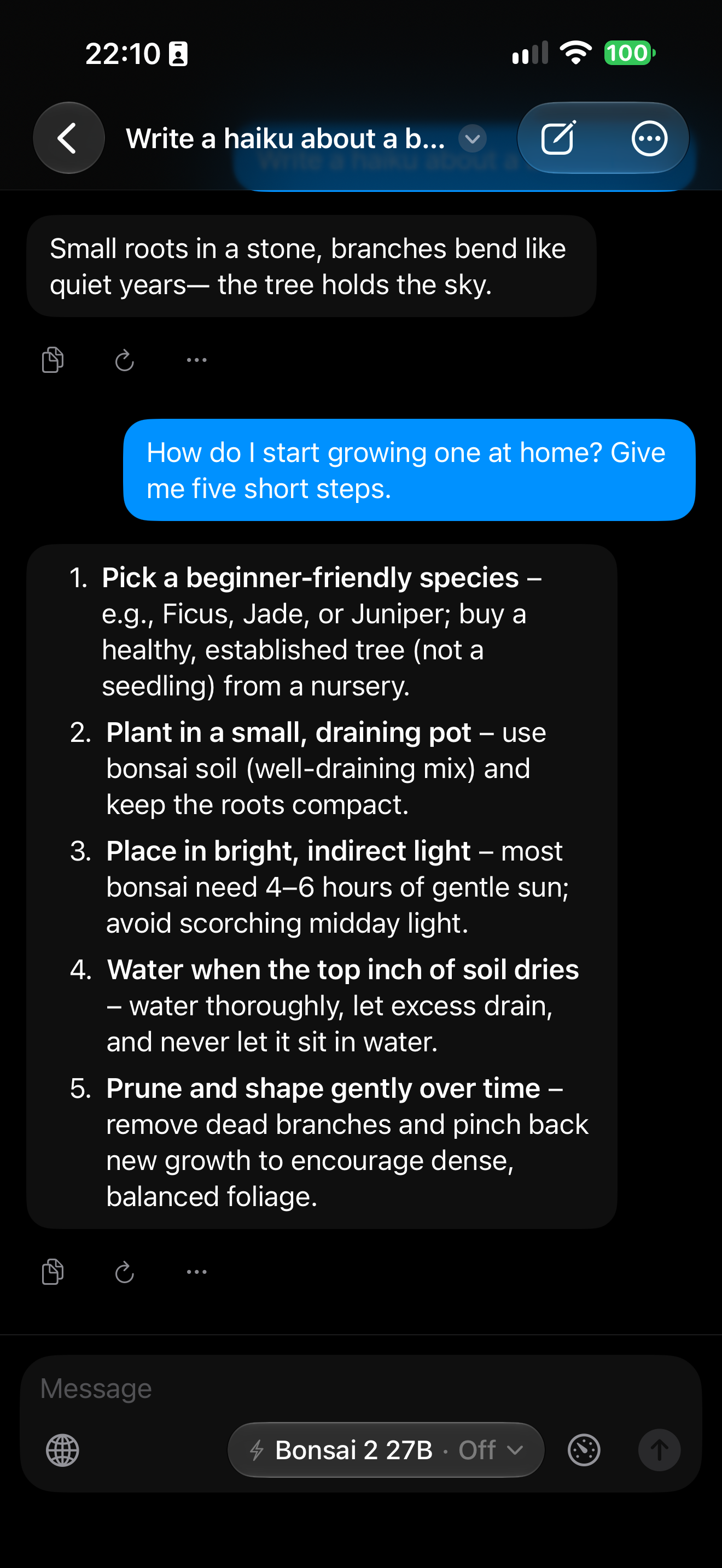
Private LLM 2 runs models that other local AI apps think are impossible to run on iPhone. Ternary Bonsai 2 27B, a 2-bit model, runs on an iPhone 17 Pro.
What's New in Private LLM 2
Models That Use Tools
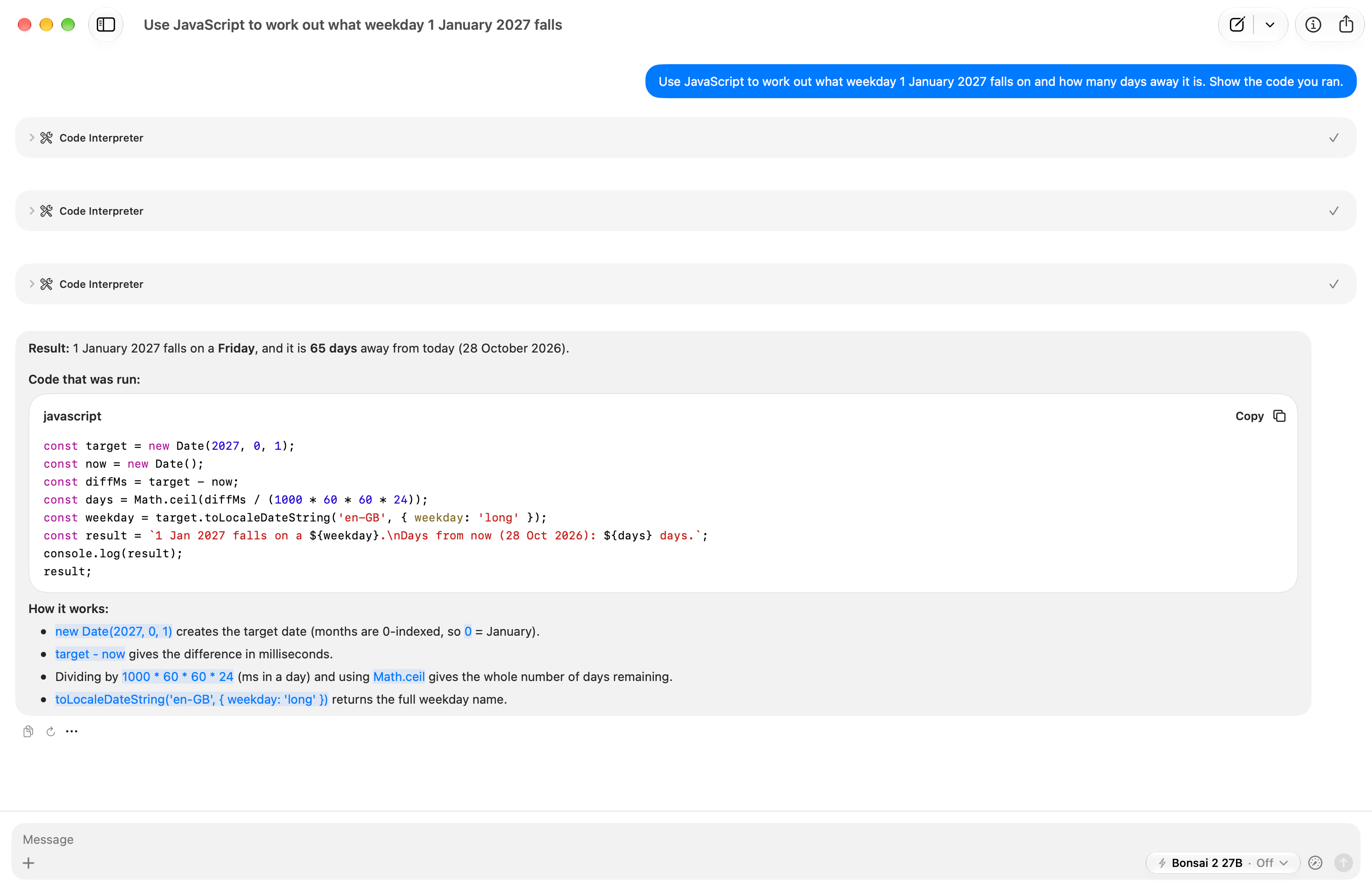
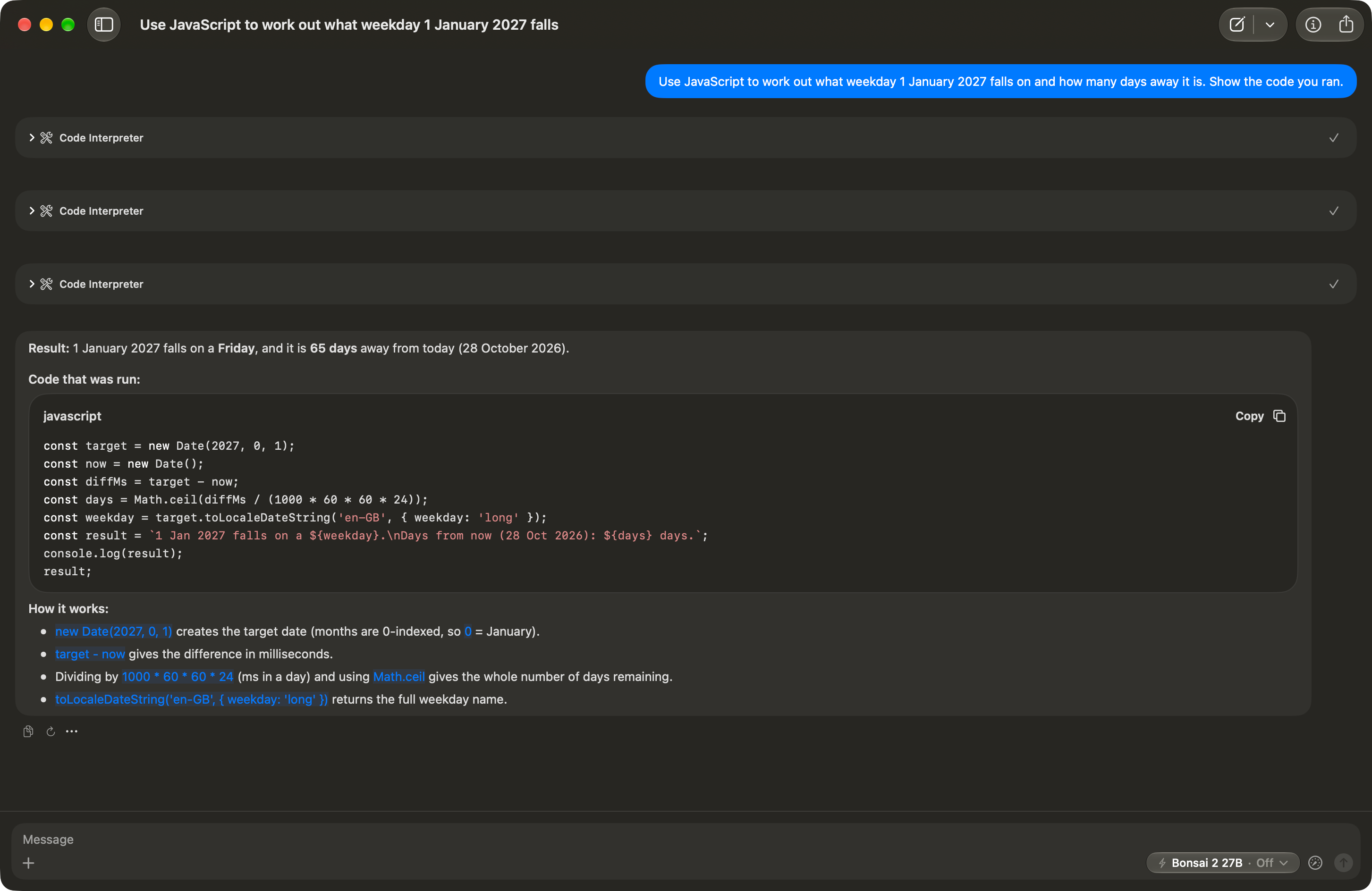
Models that support tool calling can run JavaScript on your device, and that tool is on by default. Web search and page fetch are optional, and you turn them on yourself. None of this exists in the current Private LLM app.
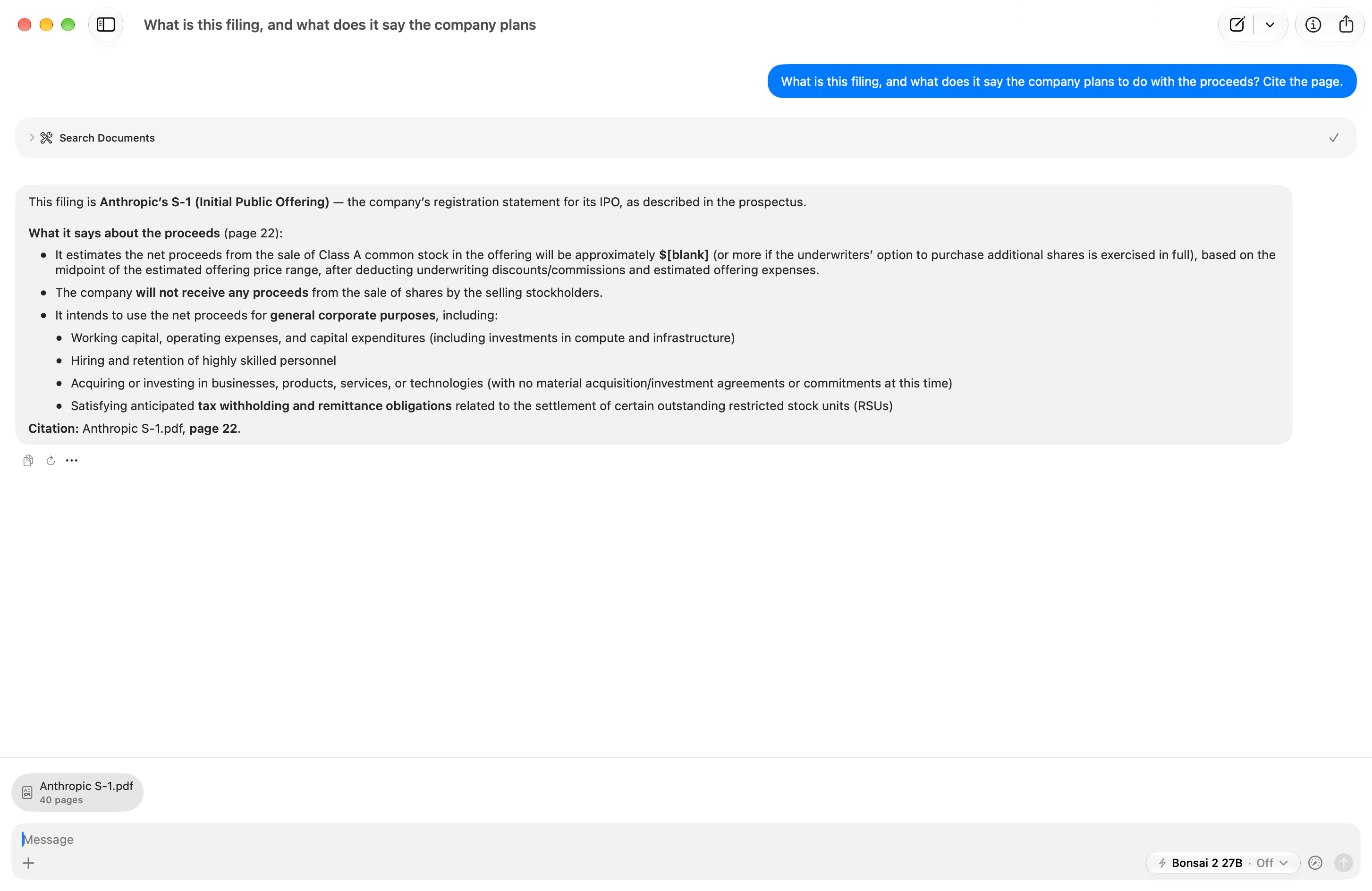
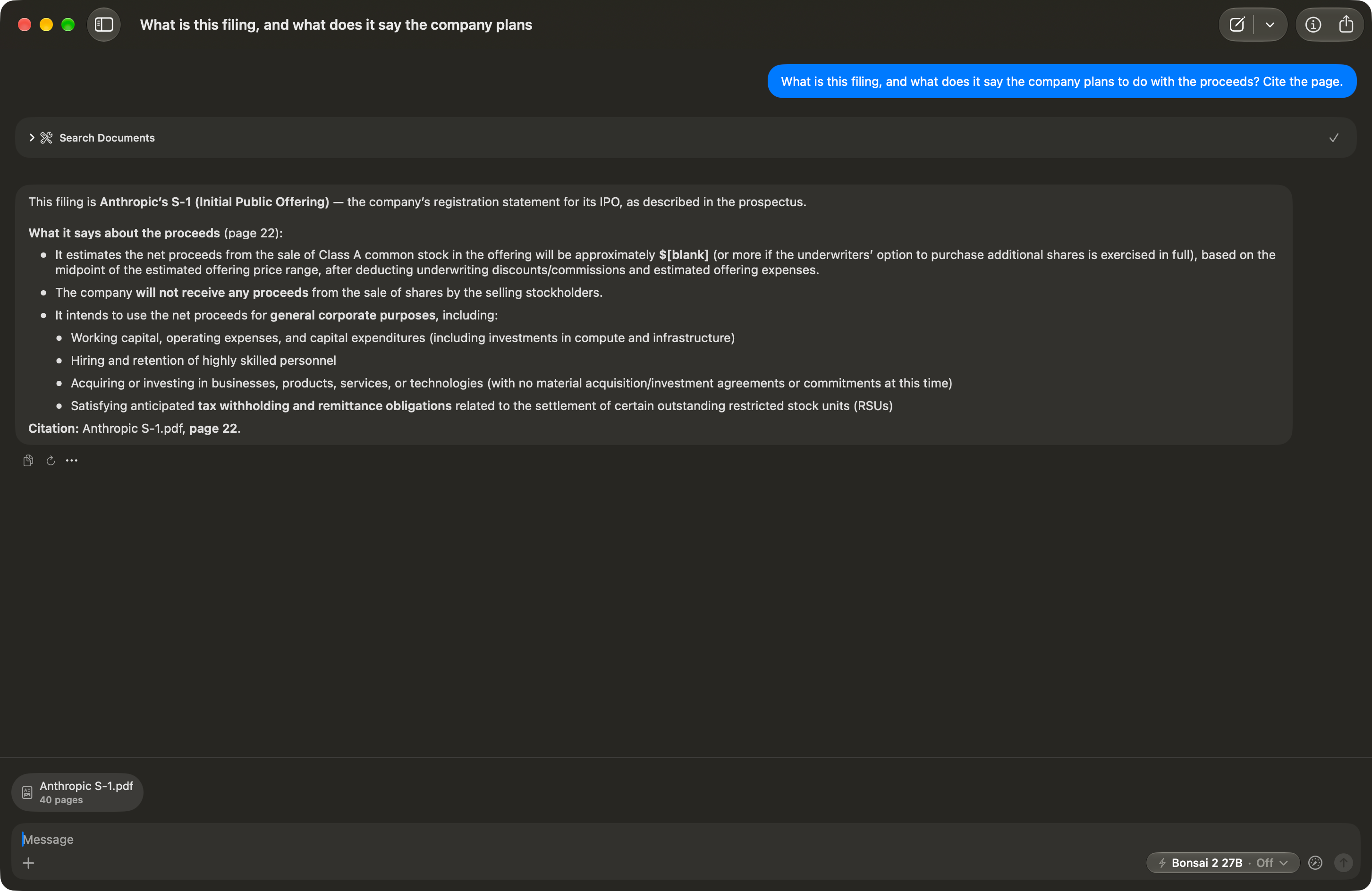
Chat With Your Documents
Attach a PDF, plain text, or Markdown file before your first message, and Private LLM 2 indexes it and searches it on your device. Document chat needs a model with tool support.
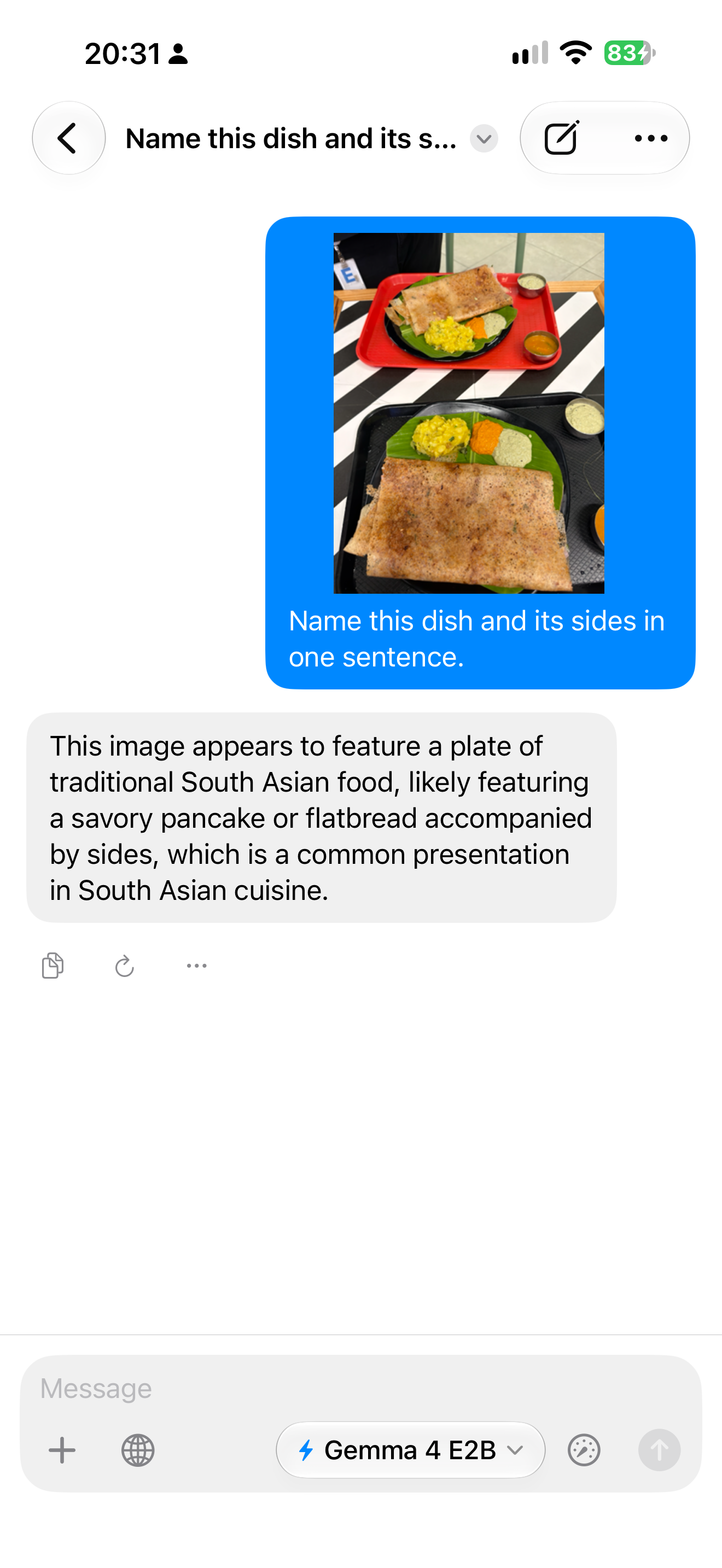
Attach Photos and Audio
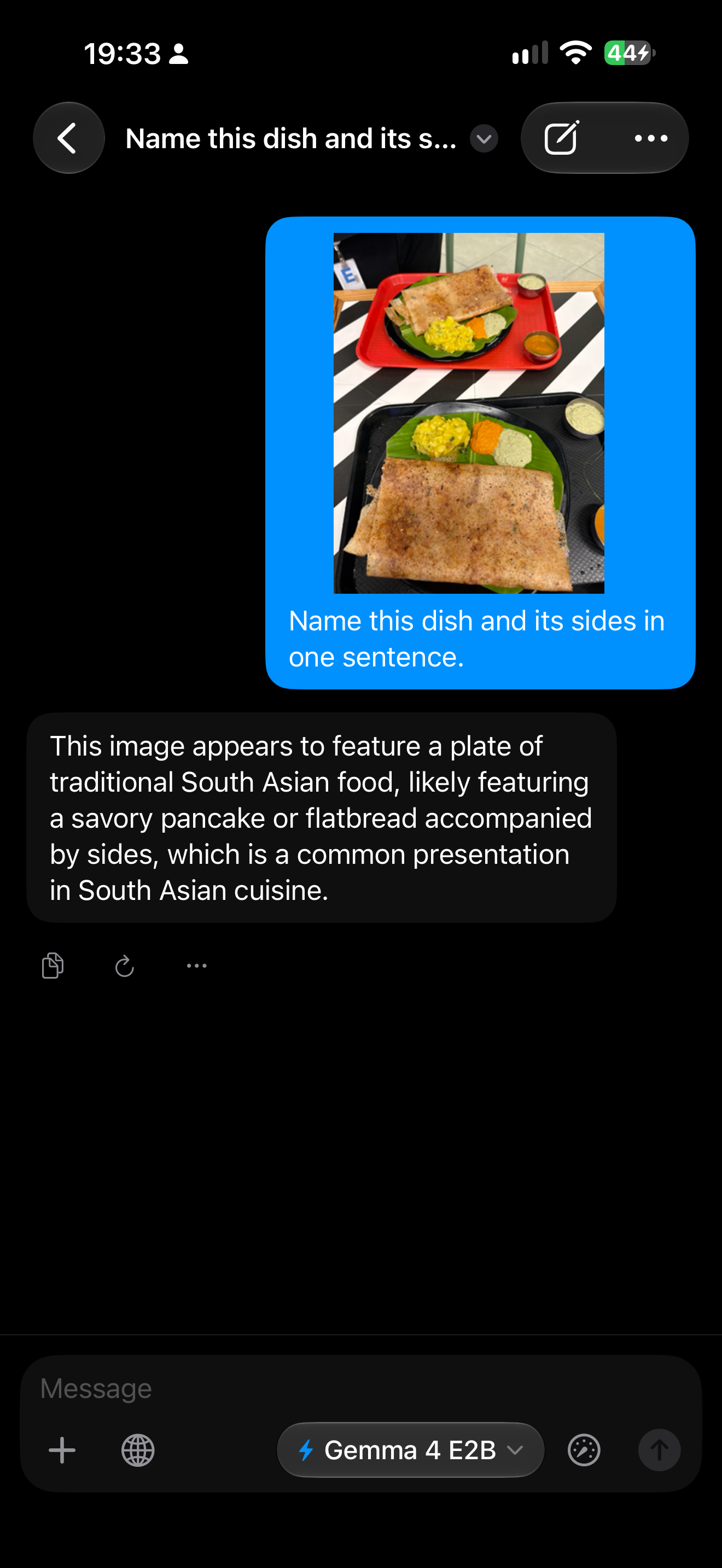
You can attach photos and images to vision models, which in this beta are Gemma 4, Qwen3.5, Bonsai, and North Micro Vision, and Gemma 4 models also accept audio files. Some of the larger models need a device with more memory for this.
New Models to Try
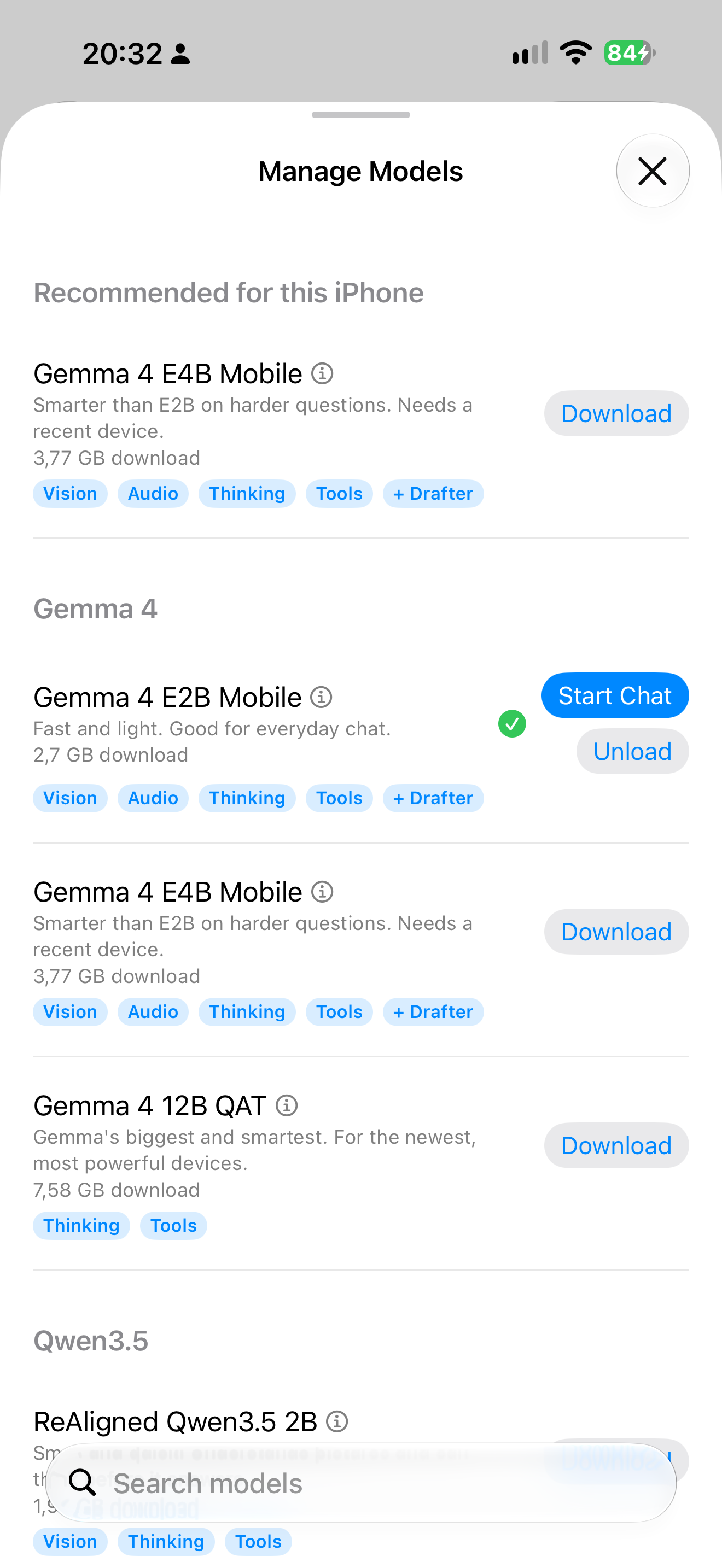
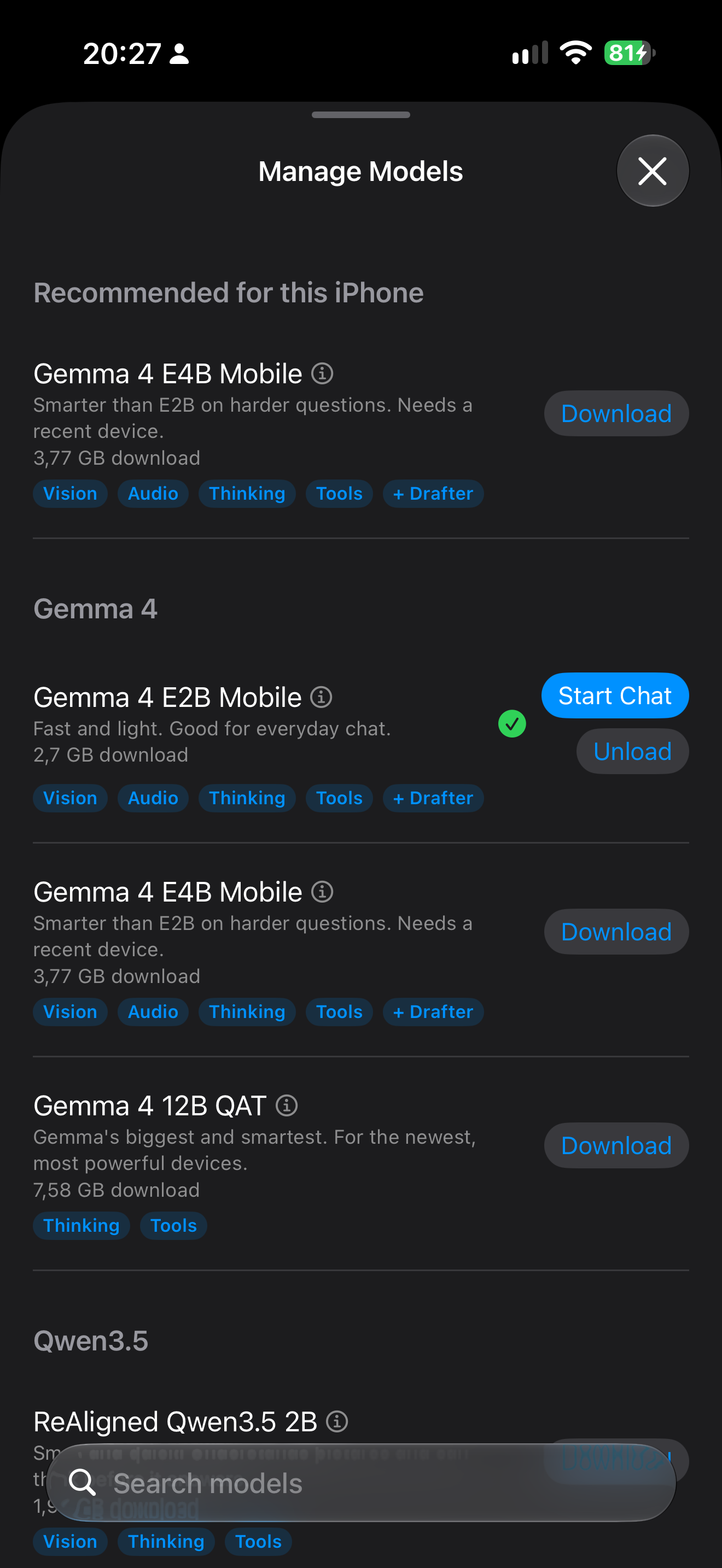
Gemma 4 and Qwen3.5 are new generations of Gemma and Qwen. Granite 4.1, Bonsai, MiniCPM5, North, and Lizzy are new families, and Bonsai includes a 27B ternary model. On supported devices, Gemma 4 generates faster with speculative decoding, and on models that reason, you can set reasoning effort across five levels. The lineup may change during the beta.
Web Tools Stay Off Until You Turn Them On
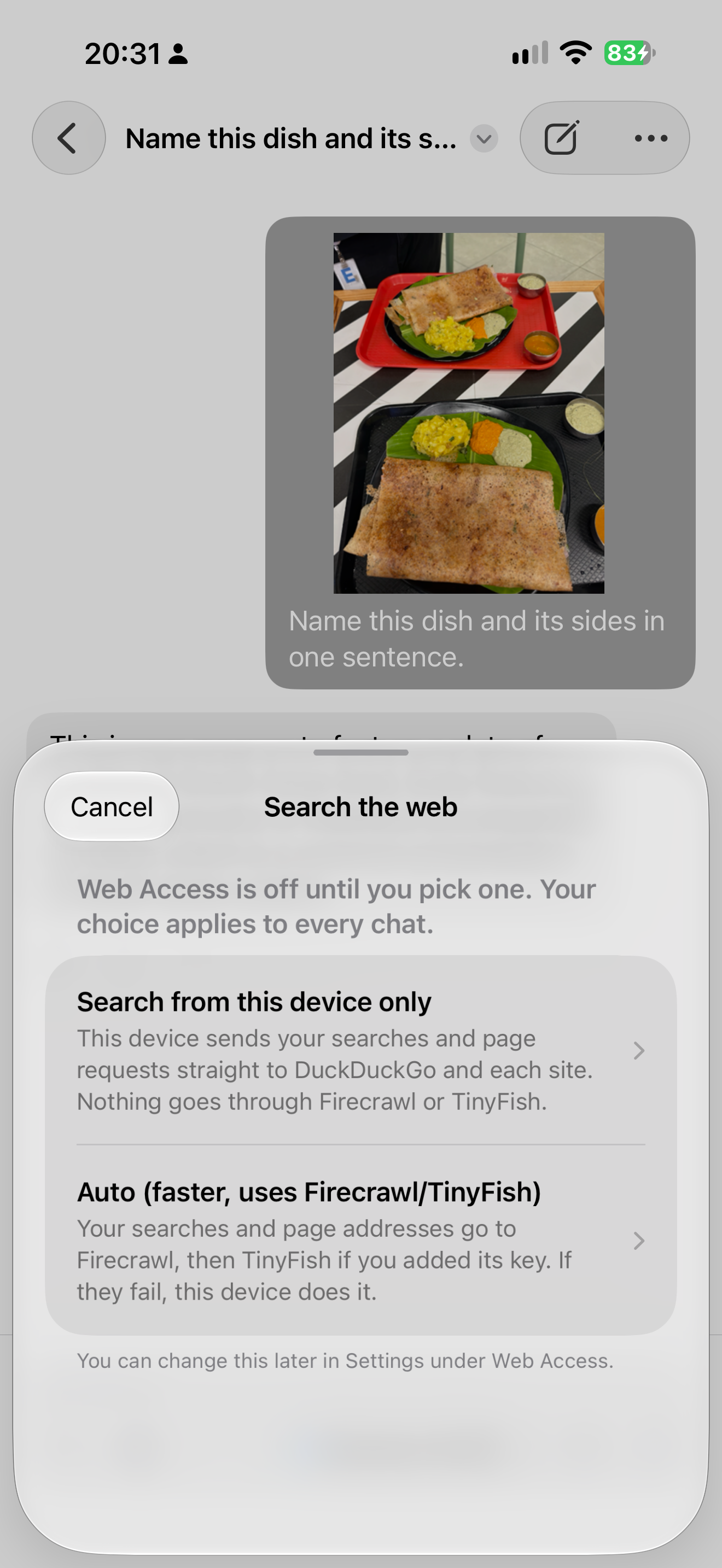
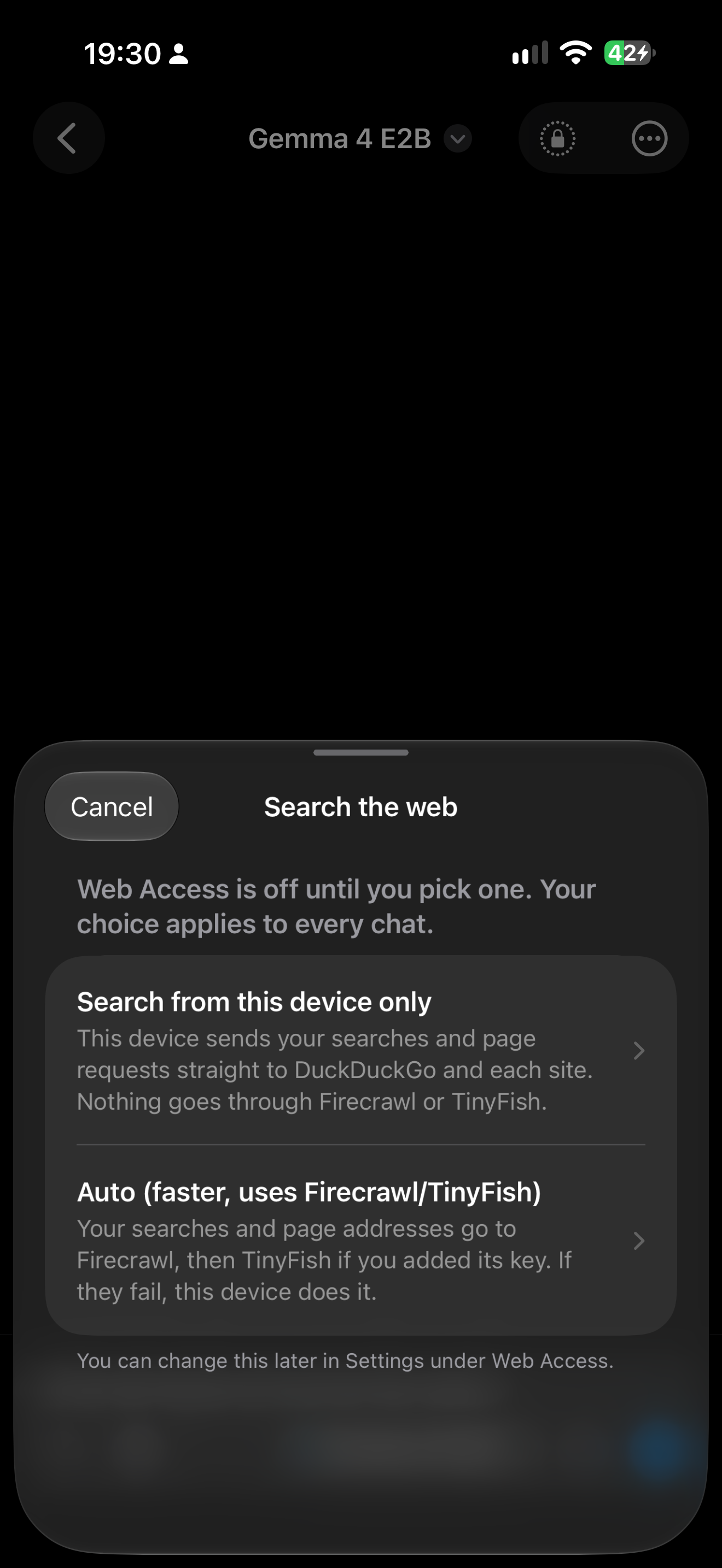
Web tools are off by default, and for a plain reason: a web search can't happen without sending something out. When you turn them on, your search query or the page address leaves your device. The first time, you choose where it goes. Auto sends it to a third-party search provider, with a direct search from your device as the fallback. On-device-only mode skips the provider for web search and page fetch, but it still contacts the search engine and the websites themselves.
How to Get the Beta
- Get Private LLM from the App Store, or update it if you already own it.
- Go to Settings > About > Private LLM 2. The link shows on iOS 26, iPadOS 26, and macOS 26 on Apple Silicon.
- Tap Private LLM 2 to open TestFlight, then install the beta.
Private LLM 2 is a separate app. It installs alongside the current Private LLM app, and your chats and models do not carry over, so plan to download a model again.
Private LLM 2 is a free upgrade for everyone who owns Private LLM.
Tell Us What Breaks
This is a beta, and something will probably break. Send feedback through TestFlight, where you can attach screenshots, or talk to us on Discord.
Discord